local seo for beginners,
Blog, SEO Basics

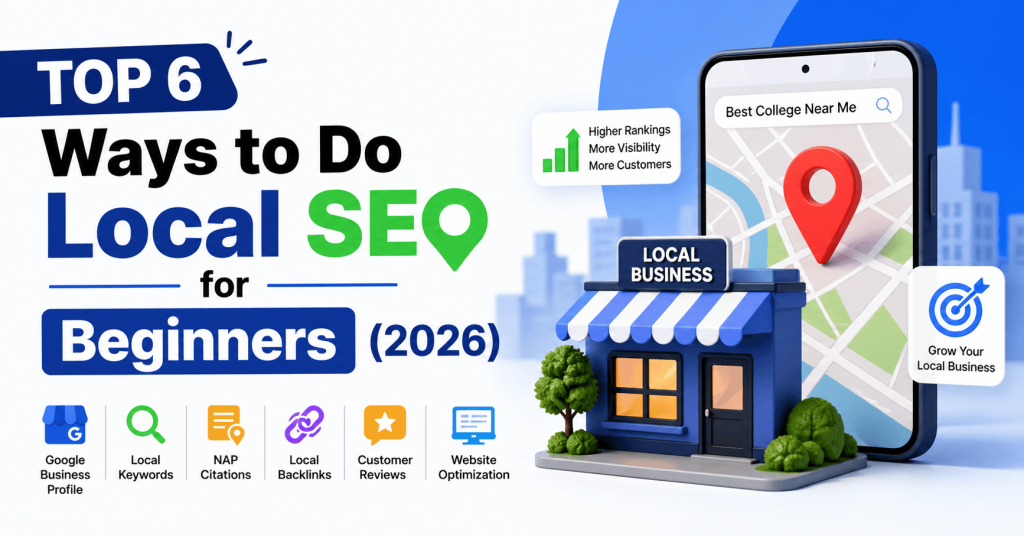
Top 6 Ways to Do Local SEO for Beginners (2026)

“Local SEO for beginners has become one of the most powerful strategies for businesses that want to attract nearby customers.” Whether you run a small shop, a coaching center, or a college website project, local SEO helps your business appear in front of people who are actively searching for your services in your area. In 2026, local search is more competitive—but also more rewarding—than ever. With smarter search algorithms, AI-powered recommendations, and voice search growth, beginners need a clear and structured approach to succeed. This guide will walk you through the top 6 ways to do local SEO for beginners, explained in a practical, step-by-step manner. 1- Optimize Your Google Business Profile (GBP) The foundation of local SEO for beginners starts with your Google Business Profile (formerly Google My Business). This is the listing that appears in Google Maps and local search results. Why It Matters for Local SEO When someone searches for: Google shows a local pack (map + listings). If your profile is optimized, you can appear there—even without a strong website. How to Optimize It for Local SEO Pro Tip Post regularly using GBP updates (offers, news, events). Google rewards active profiles. 2- Use Local Keywords Strategically Keywords are still important—but local SEO focuses on location-based keywords. Examples Instead of: Use: Where to Use Keywords Tools You Can Use Beginner Tip Focus on long-tail keywords. They are easier to rank and bring more targeted traffic. 3- Build Consistent NAP Citations NAP stands for: Consistency across the internet is critical. What Are Citations? Citations are mentions of your business on: Popular Citation Sites Best Practices Why It Helps Google trusts businesses that have consistent information across multiple platforms. 4- Get High-Quality Local Backlinks for Local SEO Backlinks are links from other websites to yours. In local SEO, focus on local and relevant backlinks. Types of Local Backlinks Easy Backlink Ideas for Beginners Example If you are promoting a college: Tools to Analyze Backlinks Important Tip Avoid spammy backlinks. Quality matters more than quantity. 5- Encourage and Manage Customer Reviews for Local SEO Reviews are a major ranking factor in local SEO. Where Reviews Matter Why Reviews Are Important How to Get Reviews How to Respond to Reviews Pro Tip Use keywords naturally in replies: “Thank you for choosing our BCA college in Delhi NCR.” This subtly helps SEO. 6- Optimize Your Website for Local SEO Your website should clearly signal your location and services. Key Elements to Optimize 1. Location Pages Create pages like: 2. Mobile Optimization Most local searches happen on mobile. Your site must be: 3. Schema Markup Use local business schema to help search engines understand your details. 4. Embed Google Maps Add your business location directly on your website. 5. Add Contact Information Technical Tools Bonus Tips for Local SEO for beginners in 2026 1. Voice Search Optimization People now search like: Use conversational keywords. 2. Focus on E-E-A-T for improvement in Local SEO Google values: Add: 3. Use Local Content Marketing to improve Local SEO Create blogs like: This drives local traffic and builds authority. 4. Social Media Signals Stay active on platforms like: Share: Common Mistakes Beginners Should Avoid during Local SEO Final Thoughts Local SEO for beginners in 2026 is not just about ranking—it’s about visibility, trust, and relevance. If you are a beginner, focus on: Start small, stay consistent, and keep improving. With the right approach, even a new website can rank locally and attract real customers. Frequently Asked Questions (FAQs) 1. What is local SEO for beginners and why is it important in 2026? Local SEO is the process of optimizing your online presence to attract customers from a specific geographic area. In 2026, it is more important than ever because most users rely on search engines like Google to find nearby services. A strong local SEO strategy helps your business appear in local search results, increasing visibility, traffic, and conversions. 2. How do I rank my business in local search results? To rank higher in local search results, you should: Consistency and regular updates play a key role in improving rankings. 3. How long does local SEO take to show results? Local SEO is not instant. Beginners may start seeing results within 1 to 3 months, but significant improvements usually take 3 to 6 months depending on competition, location, and strategy. Consistent efforts deliver the best long-term outcomes. 4. What are the best tools for local SEO beginners? Some beginner-friendly tools include: These tools help you understand what’s working and where to improve. 5. How important are customer reviews for local SEO? Customer reviews are extremely important. They: Positive reviews on platforms like Google Business Profile can significantly boost your visibility. 6. Can I do local SEO without a website? Yes, you can still benefit from local SEO using your Google Business Profile and directory listings. However, having a website gives you more control, improves credibility, and helps you rank for more keywords. 7. What is NAP consistency in local SEO? NAP stands for Name, Address, and Phone Number. NAP consistency means using the exact same business details across all platforms and directories. Inconsistent information can confuse search engines and reduce your rankings. 8. Is local SEO different from traditional SEO? Yes, local SEO focuses on ranking in a specific geographic area, while traditional SEO targets a broader audience. Local SEO includes factors like: Both are important, but local SEO is essential for location-based businesses. 9. How often should I update my Google Business Profile? You should update your Google Business Profile regularly by: Active profiles tend to rank better in local search results. 10. What are the biggest mistakes beginners make in local SEO? Some common mistakes include: Avoiding these mistakes can significantly improve your local SEO performance.

why your website is not rank on google,
Blog

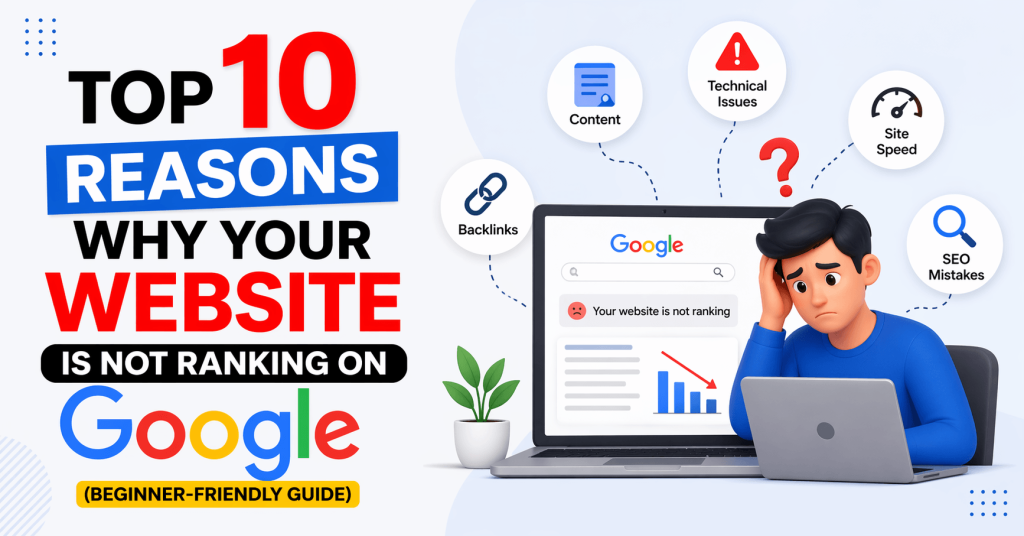
Top 10 Reasons Why Your Website Is Not Ranking on Google (Fix Guide)

If you are wondering why your website is not ranking on Google, you are not alone. Don’t worry—you are not alone. This is one of the most common problems beginners face in SEO (Search Engine Optimization). Many new websites struggle to appear on Google’s first page even after weeks or months of effort. The good news is:In most cases, ranking issues happen due to simple mistakes that can be fixed. In this guide, you will learn the Top 10 reasons why your website is not rank on Google, explained in very simple language so anyone can understand and apply. 1- Why Website Is Not Ranking on Google Due to Indexing Issues Before ranking, your website must first be indexed by Google. Indexing means Google has added your website pages into its database. One of the major reasons why website is not ranking on Google is poor indexing. When your pages are not properly indexed by Google, they will not appear in search results even if your content is good. Common issues: Solution: Without indexing, your website will never appear in search results. 2- Why Website Is Not Ranking on Google Due to Keyword Mistakes Keywords are the foundation of SEO. If you are targeting the wrong keywords, your website will not rank. Common mistakes: Solution: Good keyword selection is half of your SEO success. 3- Low-Quality Content Google always prefers high-quality, helpful content. If your content is: Then ranking becomes very difficult. Solution: Google rewards content that gives real value. 4- No On-Page SEO Optimization On-page SEO helps Google understand your content. Missing elements: Solution: On-page SEO is like organizing your website for Google. Weak Website Authority (No Backlinks) Backlinks are links from other websites pointing to your website. They act like votes of trust. Problem: New websites usually have zero backlinks, so Google doesn’t trust them. Solution: More quality backlinks = higher trust = better ranking. 6- Slow Website Speed If your website loads slowly, users leave quickly. Google tracks this behavior and reduces ranking. Causes: Solution: A fast website improves both SEO and user experience. 7- Not Mobile-Friendly Website Most users browse Google from mobile phones. If your site doesn’t work properly on mobile, ranking will drop. Issues: Solution: Mobile optimization is now a ranking priority. 8- Poor User Experience (UX) Google tracks how users interact with your site. If users leave quickly, Google thinks your content is not helpful. Signs of poor UX: Solution: Better UX = better rankings. 9- Not Updating Content Regularly Old content loses ranking over time. Google prefers fresh and updated content. Problem: Solution: Fresh content signals activity to Google. 10- Why website is not ranking on google without SEO Strategy SEO is not a one-time task. It is a continuous process. Many beginners: Solution: Consistency is one of the biggest ranking factors. Final Summary: Why Website Is Not Rank on Google If your website is not ranking, don’t panic. Most issues come from simple SEO mistakes. Here’s a quick recap: Final Advice for Beginners on Why Website Is Not Rank on Google SEO is a long-term game. If you fix these issues step by step and stay consistent, your website will definitely start rank over time. Focus on: That’s the real secret of SEO success. Frequently Asked Questions (FAQ) 1. Why is my website not ranking on Google even after publishing content? Your website may not be ranking because of poor SEO, wrong keywords, low-quality content, or lack of backlinks. Sometimes, new websites also take time to get indexed and ranked by Google. 2. How long does it take for a website to rank on Google? It usually takes 3 to 6 months for a new website to start ranking. However, it depends on competition, content quality, backlinks, and SEO efforts. High-quality SEO can speed up the process. 3. Do I need backlinks to rank on Google? Yes, backlinks are very important for ranking. They act as “votes of trust” from other websites. The more quality backlinks you have, the better your chances of ranking higher. 4. Can I rank my website without SEO? No, ranking without SEO is very difficult. SEO helps Google understand your website and decide where to show it in search results. Without SEO, your website may not get traffic. 5. What is the most important factor for ranking on Google? The most important factor is high-quality content. If your content is helpful, original, and solves user problems, Google will prefer it. Along with content, keywords and backlinks also matter. 6. Why is my website not getting traffic from Google? Common reasons include: Fixing these issues can improve your traffic. 7. Does website speed affect Google ranking? Yes, website speed is a ranking factor. A slow website increases bounce rate, meaning users leave quickly. Google prefers fast-loading websites for better user experience. 8. How can I check if my website is indexed on Google? You can check by typing this in Google search: site:yourdomain.com If your pages appear, your website is indexed. You can also use Google Search Console for better tracking. 9. Can new websites rank on Google quickly? Yes, but only if SEO is done properly. New websites usually take time, but with good content, proper keywords, and backlinks, they can start ranking faster. 10. What is the biggest mistake beginners make in SEO? The biggest mistake is focusing only on writing content without doing proper SEO. Many beginners ignore keywords, backlinks, and optimization, which stops their website from ranking.

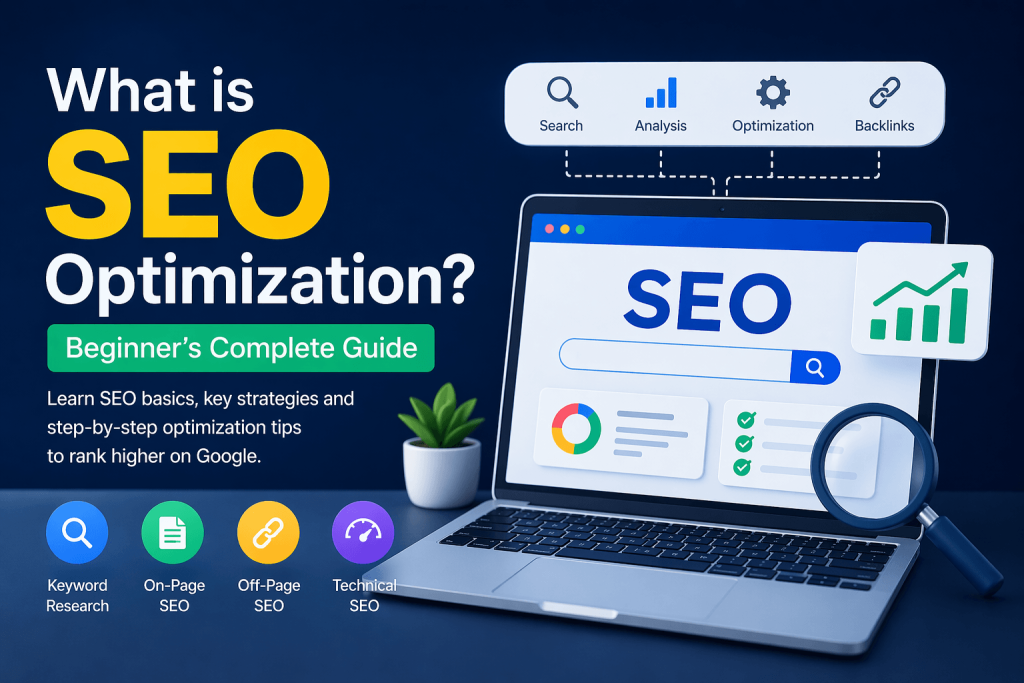
What is SEO Optimization?
Blog, SEO Basics

What is SEO Optimization? 6 Steps for Beginner’s Complete Guide 2026

If you have a website or you are planning to create one, you must have heard the term SEO optimization. SEO optimization is the foundation of ranking on Google and getting organic traffic. It is one of the most important parts of digital marketing. Without SEO, even a good website may not get traffic from Google. In simple words, SEO helps your website appear on Google when people search for something related to your content. In this guide, you will learn: Let’s make it very simple and easy to understand. What is SEO Optimization for beginners? SEO Optimization means improving your website so that it ranks higher on search engines like Google. When someone searches for something on Google, it shows thousands or even millions of results. SEO helps your website come on the first page of those results.  Example: If someone searches: “best SEO tips for beginners” And your blog appears on page 1 of Google, that means your SEO is working well. If your website is on page 10, nobody will see it. So, SEO optimization is the process of improving your website to increase visibility and traffic from search engines. Why SEO Optimization is Important? SEO optimization is important because it helps you get free organic traffic from Google. 1. Free Organic Traffic– You don’t need to pay for ads. SEO brings visitors naturally. 2. Builds Trust– People trust Google results. If your site ranks high, users trust your content more. 3. Long-Term Results-Unlike ads, SEO continues to bring traffic for months or even years. 4. Helps Grow Your Website or Business– More traffic means more readers, customers, or leads. How Does SEO Optimization Work? SEO optimization works in three main steps: crawling, indexing, and ranking. SEO works in three main steps: 1. Crawling Google finds your website pages. 2. Indexing Google stores your pages in its database. 3. Ranking Google decides where your page appears in search results. The better your SEO, the higher your ranking. Real-Life Example of SEO Optimization Let’s understand SEO with a simple real-life example: Imagine you wrote a blog about “best laptops under 50000”. Now: Most users only click on page 1 results. So SEO optimization helps you: Reach page 1 Get more clicks Increase website traffic Build authority over time This is why SEO is important for every website owner. Types of SEO Optimization SEO optimization is divided into three main types: On-page SEO, Off-page SEO, and Technical SEO. But there is also an important specialization called: Local SEO (Special type of SEO) 1. On-Page SEO On-page SEO means optimizing things on your website. Important factors: Example: If your blog is about SEO, your title should include keywords like: “SEO optimization guide for beginners” 2. Off-Page SEO Off-page SEO means improving your website reputation outside your website. Important factors: Example: If another website links to your blog, Google sees your site as more trustworthy. 3. Technical SEO Technical SEO improves your website structure. Important factors: If your website loads slowly, users will leave quickly, and ranking will drop. 4. Local SEO (Special type of SEO) Local SEO is a type of SEO that helps your website or business appear in local search results when people search for services near their location. For example: When someone searches like this, Google shows local results such as Google Maps listings and nearby businesses. Important factors of Local SEO: Example: If you have a website offering SEO services in Dehradun and you optimize it properly for Local SEO, your website can appear when someone searches: “SEO services in Dehradun” This helps you get real nearby customers and leads. Why Local SEO is important: Why SEO Optimization is Better Than Paid Ads SEO is often compared with paid advertising like Google Ads. Both bring traffic, but they work very differently. With paid ads, you get instant traffic, but it stops as soon as you stop paying. On the other hand, SEO builds long-term visibility that continues bringing visitors even without spending money. For example: This is why businesses prefer SEO for long-term growth. How Beginners Can Start SEO Optimization (Step-by-Step) If you are a beginner, follow these simple steps to start SEO optimization effectively.If you are a beginner, follow these simple steps: Step 1: Choose a Keyword Start with a simple keyword like: Use tools like Google search or Ubersuggest. Step 2: Write High-Quality Content Content is the most important part of SEO. Make sure your content: Step 3: Use Keywords Naturally Don’t overuse keywords. Instead, place them in: Step 4: Optimize Images Always add ALT text to images. Example:Instead of “image1.jpg” write: “SEO optimization chart for beginners” Step 5: Improve Website Speed A slow website can reduce ranking. Use: Step 6: Build Backlinks Try to get links from other websites by: SEO Tools Beginners Can Use If you are just starting SEO, you don’t need advanced tools. You can use simple free tools to improve your website: 1. Google Search Console Helps you understand: 2. Google Analytics Helps you track: 3. Ubersuggest / Keyword Tools Helps you: 4. PageSpeed Insights Helps you: Using these tools regularly can improve your SEO results significantly. Common SEO Optimization Mistakes Beginners Make Many beginners make mistakes while doing SEO optimization, which affects their ranking.Many beginners make these mistakes: Keyword stuffing Using keywords too many times looks spammy. Poor content quality Short or copied content does not rank. Ignoring mobile users Most users come from mobile devices. Not using headings Without headings, content becomes hard to read. How Long Does SEO Take to Show Results? SEO is not instant. Usually: Consistency is the key. Final Thoughts SEO optimization is not a one-time task. It is a continuous process of improving your website and content. If you are a beginner, don’t try to learn everything at once. Start with: Slowly, your website will start ranking on Google. Remember: Good SEO = Helpful content + Proper optimization + Patience Frequently Asked Questions (FAQ) 1. What are SEO tutorials for beginners?

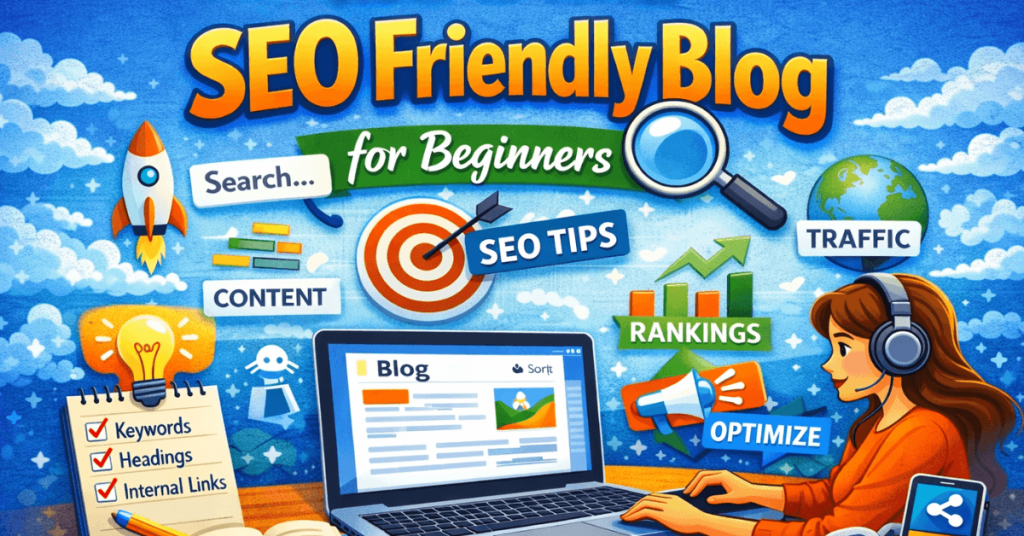
How to Write SEO Friendly Blog for Beginners
Blog, SEO Basics

“12 Proven Ways to Write an SEO Friendly Blog for Beginners in 2026”

Writing a blog is easy, but learning how to write SEO friendly blog for beginners in 2026 that ranks on Google and brings visitors to your website needs a smart strategy. This is where SEO comes in. SEO means Search Engine Optimization. It helps search engines like Google understand your content and show it to the right people. If you are a beginner and want to improve your blog ranking, this guide will help you understand how to write SEO friendly blog for beginners in 2026 in a simple and practical way. What Does SEO Friendly Blog Writing Mean for Beginners? An SEO friendly blog is a blog post written in a way that: In simple words, your blog should be useful for both people and search engines. Why SEO Friendly Blog Writing Is Important for Beginners If your blog is not optimized for SEO, people may never find it on Google. When you learn how to write SEO friendly blog for beginners in 2026, you can: That is why learning SEO writing is very important for beginners. Step 1: Keyword Research for SEO Friendly Blog Writing Before writing your blog, find out what people are searching for. These search words are called keywords. Example: If people search: how to write seo friendly blog for beginners Then this becomes your target keyword. Best Tools for Keyword Research: Tips: Choose keywords with: Step 2: Understand Search Intent Search intent means why someone is searching this topic. If someone searches how to write SEO friendly blog for beginners in 2026, they want: How to write SEO friendly blog for beginners The user wants: So your blog should solve exactly this problem. Step 3: Write a Strong Blog Title Your title is the first thing readers see. Make it: Example: How to Write SEO Friendly Blog for Beginners: Step-by-Step Guide This title: Step 4: Write an Engaging Introduction Your introduction should quickly explain: Example: If you want your blog to rank on Google and attract more visitors, learning SEO writing is very important. In this guide, you will learn simple steps to write SEO friendly blog posts even if you are a complete beginner. Keep introductions simple and interesting. Step 5: Use Proper Headings Structure Good headings improve readability and SEO. Use headings like: Example structure: Step 1: Keyword Research Step 2: Search Intent Step 3: Content Writing This helps: Step 6: Use Keywords Naturally Add your keyword in important places: Important: Do not repeat keywords too much. This is called keyword stuffing, and Google does not like it. Write naturally. Step 7: Write High-Quality SEO Friendly Blog Content Google ranks content that truly helps people. Your blog should be: Avoid: Focus on solving the reader’s problem. Step 8: Make Your Content Easy to Read Readable content keeps visitors on your website. Best practices: Simple writing works best. Readable content keeps visitors on your website. Best practices: Simple writing works best. Step 9: Add Internal Links Internal links connect one page of your website to another. Example: If you already wrote about keyword research, link that blog inside this article. Benefits: Step 10: Add External Links External links point to trusted websites. Example: You may link to: This adds trust when used properly. Step 11: Optimize Images Images improve user experience. But optimize them for SEO. Do this: Example alt text: SEO friendly blog writing tips Alt text helps Google understand images. Step 12: Write a Good Meta Description Meta description is the short text shown in Google search results. Example: Learn how to write SEO friendly blog posts for beginners with easy steps, keyword tips, and content writing strategies. Make it: Step 13: Create SEO Friendly URL Keep your blog URL short and clean. Good Example: yourwebsite.com/seo-friendly-blog-writing Avoid: yourwebsite.com/post123?id=seo-writing-guide-beginners Simple URLs are better. Step 14: Make Your Blog Mobile Friendly Many users read blogs on phones. Your website should: Google also prefers mobile-friendly websites. Step 15: Update Old Content SEO is not only about publishing. You can improve rankings by updating blogs later. Update things like: This is good for SEO. Common SEO Writing Mistakes Beginners Should Avoid 1. Ignoring keyword research 2. Writing without understanding search intent 3. Using too many keywords 4. Writing very short content 5. Poor formatting 6. No internal links 7. Slow images 8. Weak titles Avoiding these mistakes helps your blog perform better. Quick SEO Friendly Blog Writing Checklist Before publishing, check: This checklist improves quality. Final Thoughts Learning how to write SEO friendly blog posts is one of the most valuable skills for bloggers. As a beginner, focus on: Do not try to trick Google. Instead, create content that truly helps people. When your content is useful and optimized properly, rankings improve naturally over time. SEO success takes patience, practice, and consistency. Keep writing, keep learning, and keep improving. Frequently Asked Questions (FAQs) What is an SEO friendly blog? An SEO friendly blog is content written to help both readers and search engines understand the topic easily. How many keywords should I use in a blog? Use keywords naturally. Focus on quality writing instead of repeating keywords too much. Is long content better for SEO? Helpful and complete content usually performs better, but quality matters more than only word count. Can beginners learn SEO writing easily? Yes. With practice, keyword research, and good formatting, beginners can learn SEO writing step by step. Should I update old blog posts? Yes. Updating old content with fresh information can improve SEO performance. Conclusion Now you know how to write SEO friendly blog posts for beginners. Start with keyword research, understand search intent, write useful content, format it well, and optimize every important SEO element. The more you practice these steps, the better your blog writing and Google rankings will become. Now you clearly understand how to write SEO friendly blog for beginners in 2026 and can start creating content that ranks on Google.

What is Search Intent in SEO
Blog, SEO Basics

What is Search Intent in SEO? 4 Powerful Types of Search Intent Explained

What is Search Intent in SEO? If you want to rank your blog on Google in 2026, understanding what is Search Intent in SEO is very important. Most beginners focus only on keywords, but Google mainly focuses on user intent — why people are searching. Search intent (also called user intent) is the reason behind a search query on Google. In simple words, it means what the user actually wants to do. For example: Understanding what is Search Intent in SEO helps you create content that matches user needs. When your content matches intent, Google is more likely to rank your page higher. In this beginner-friendly guide, you will learn: Let’s get started. What is Search Intent in SEO? Search intent (also called user intent) is the reason why a person searches something on Google. In simple words: Search intent = What the user wants to achieve from their search For example: Google’s main goal is to show results that match this intent. That’s why understanding search intent is very important. Why is Search Intent Important for SEO? Understanding what is search intent in SEO is important because Google ranks pages based on how well they satisfy users.Search intent is important because Google ranks content based on how well it satisfies the user’s need. 1. Helps You Rank Higher Even if you use the right keyword, your blog won’t rank if it doesn’t match intent. 2. Improves User Experience When users find exactly what they want, they stay longer on your page. 3. Reduces Bounce Rate If your content matches intent, users won’t leave quickly. 4. Increases Conversions If your content matches buying intent, you can get more sales or leads. Types of Search Intent in SEO To fully understand what is search intent in SEO, you must know its 4 main types: 1. Informational Intent When users want to learn something, it is called informational intent. Examples: Best Content Type: Tip: Use simple explanations and provide complete information. 2. Navigational Intent When users want to visit a specific website, it is navigational intent. Examples: Best Content Type: Tip: You usually don’t need to target these keywords unless it’s your brand. 3. Transactional Intent When users are ready to buy something, it is transactional intent. Examples: Best Content Type: Tip: Use strong CTAs (Call-to-Action) like “Buy Now” or “Order Today”. 4. Commercial Investigation Intent When users are comparing products before buying, it is commercial intent. Examples: Best Content Type: Tip: Provide honest reviews and comparisons. Real Examples of Search Intent for SEO Here are simple examples to understand what is search intent in SEO better: Keyword Intent Type What User Wants What is SEO Informational Learn SEO Facebook login Navigational Visit Facebook Buy shoes online Transactional Purchase shoes Best laptops under 50000 Commercial Compare laptops How to Identify Search Intent in SEO (Step-by-Step) Here is a simple method beginners can follow: Step 1: Search on Google Type your keyword on Google and check the results. Look at: Step 2: Analyze Content Type Ask yourself: Step 3: Check Titles Look at titles like: Step 4: Look at Featured Snippets If Google shows: How to Use Search Intent in Your Blog Now the most important part — how to use it. 1. Match Content with Intent If keyword is: 2. Use the Right Format For example: 3. Write Clear and Simple Content Use: 4. Add Value Don’t just copy others. Add: 5. Optimize for SEO Include: Common Mistakes to Avoid 1. Ignoring Search Intent Writing content without understanding intent will not rank. 2. Mixing Intents Don’t try to target all intents in one blog. 3. Copying Competitors Understand intent, but create unique content. 4. Wrong Content Type Don’t write a blog for a “buy” keyword. Pro Tips for Beginners Conclusion Search intent is the foundation of SEO in 2026. If you understand what users want and create content based on that, you can easily rank higher on Google. Let’s quickly recap: If you are serious about SEO, start focusing on search intent from today. It can completely change your blogging results. FAQs 1. What is search intent in simple words? Search intent is the reason why someone searches something on Google. 2. How many types of search intent are there? There are 4 types: Informational, Navigational, Transactional, and Commercial. 3. Why is search intent important? It helps your content rank higher and improves user experience. 4. How do I find search intent? Search your keyword on Google and analyze the top results.

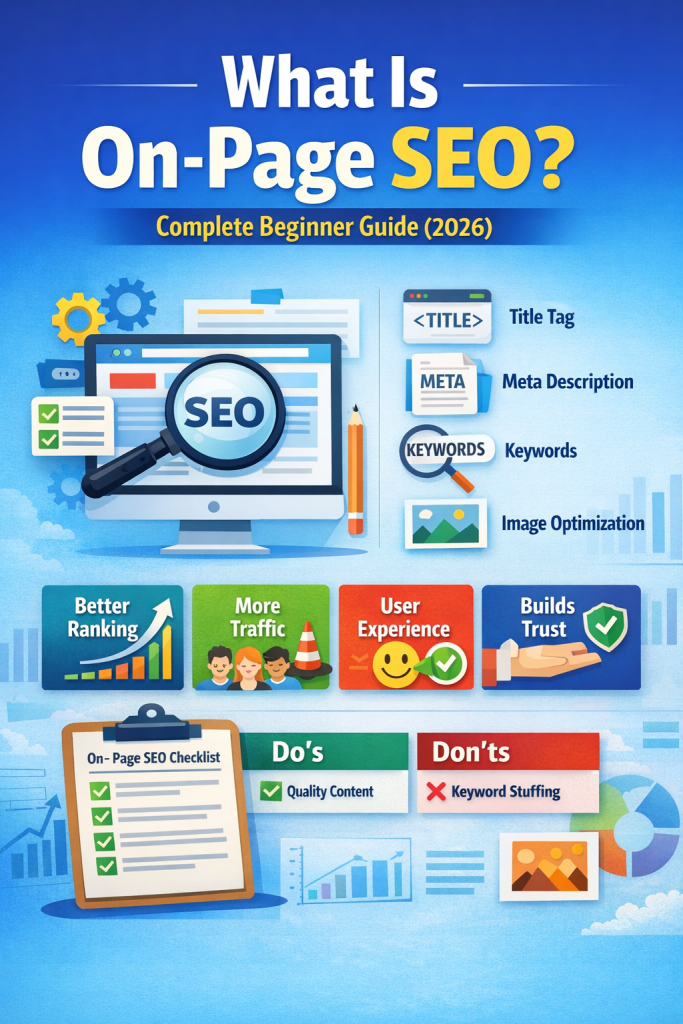
What Is On-Page SEO? Complete Beginner Guide (2026)
On Page SEO, Blog

What Is On-Page SEO? Complete Beginner Guide (2026)

Introduction What is on-page SEO? If you want to rank your website on Google, you must understand SEO. SEO helps your website appear in search results when people search for information online. On-page SEO is one of the most important parts of search engine optimization. It focuses on optimizing the content and elements on your own website, helping search engines understand your content better and improving your chances of ranking higher on Google. In this guide, you will learn about on-page SEO, one of the most important parts of SEO. This article is written in simple English so that beginners can easily understand and apply it. What Is On-Page SEO? On-page SEO means optimizing the content and elements inside your website to improve its search engine ranking. This includes: Writing high-quality content with your target keywords Using proper headings (H1, H2, H3) Adding your focus keyword naturally throughout the content Optimizing images with ALT text Writing clear title tags and meta descriptions In short, on-page SEO ensures that both users and search engines can easily understand what your page is about. What is SEO? SEO stands for Search Engine Optimization. It means improving your website so that it can rank higher on search engines like Google. When your website ranks higher: More people visit your website You get more traffic You can grow your blog or business If your content is useful and high quality, Google will show it to more users. Why On-Page SEO Matters On-page SEO is crucial because it helps Google and other search engines understand your content. Google wants to provide the best results to users. If your content is: Helpful Easy to read Well-structured …then Google will reward your website with higher rankings. Proper on-page SEO ensures that your content reaches the right audience and keeps visitors engaged. Benefits of On-Page SEO: 1. Better Ranking for On-Page SEO Strong on-page SEO increases your chances of ranking on the first page of Google. 2. More Organic Traffic Optimized content with proper on-page SEO brings free traffic from search engines without spending on ads. 3. Better User Experience for On-Page SEO Good on-page SEO makes your content easier to read and navigate, keeping users longer on your website. 4. Builds Trust High-quality content with proper on-page SEO builds trust with users and Google alike. Key Elements of On-Page SEO Let’s break down the essential elements of on-page SEO: 1. Title Tag The title tag is the main heading that appears on Google search results. Tips: Keep it under 60 characters Include your focus keyword naturally Make it engaging Example: What Is On-Page SEO? Beginner Guide (2026) 2. Meta Description Meta description is a short summary of your page. Tips: Keep it under 160 characters Write clearly and simply Add keyword naturally A good meta description improves your click rate. 3. Headings (H1, H2, H3) Headings help organize your content. H1 → Main title H2 → Main sections H3 → Sub-sections Proper headings make your content easy to scan and improve on page SEO. 4. Keyword Optimization Use your focus keyword naturally In the title In headings In the first paragraph Sparingly throughout the content Avoid keyword stuffing 5. Content Quality High-quality content is central to on-page SEO. Ensure your content is: Helpful Easy to understand Original (no copy) Detailed and informative Avoid: Thin content Duplicate content 6. Image Optimization Add ALT text to all images with your keyword where relevant. This is part of good on-page SEO practice. Tips Use proper file name Compress image size for fast loading 7. Internal Linking Internal linking means linking your pages to other pages on your website. Benefits: Helps users navigate Improves SEO Increases time on site On-Page SEO Checklist (Beginner Friendly) Before publishing your article, check this: Keyword added in title Meta description written Headings used properly Content is original No keyword stuffing Images have ALT text Internal links added Content is easy to read Common On-Page SEO Mistakes Avoid these mistakes: 1. Keyword Stuffing Using too many keywords makes content unnatural and can harm your ranking. 2. Duplicate Content Copying content from other websites can reduce your SEO performance. 3. Thin Content Short and low-value content will not rank on Google. 4. Missing ALT Text Images without ALT text are not SEO-friendly. 5. Poor Readability If users cannot understand your content, they will leave your website quickly. Simple Example of On-Page SEO Let’s say your topic is: “Best SEO Tips” a Good On-Page SEO will include: Keyword in title Proper headings Simple language Useful and practical tips Images with ALT text Pro Tips for Better Ranking (2026) Here are some extra tips to rank faster: Write at least 1000+ words Use simple and clear English Add 2–3 images in your blog Update your content regularly Focus on solving user problems Conclusion On-Page SEO is one of the most important parts of SEO. It helps improve your website ranking and user experience. If we want success in SEO, always remember: Focus on users, not just Google. When your content: Solves user problems Is easy to read Provides real value Then Google will automatically rank your website higher. Avoid bad practices like: Keyword stuffing Duplicate content Low-quality content Always create high-quality, helpful, and simple content.

digital marketing courses in dehradun
SEO Basics

Best Digital Marketing Courses in Dehradun (2026): Honest Comparison, Fees, Duration, Online vs Offline & Career Guide

Introduction Digital marketing is growing rapidly in Dehradun as more businesses move online. Today, local industries such as coaching institutes, real estate agencies, cafes, gyms, and startups are using platforms like Google, Instagram, Facebook, and websites to promote their services. Because of this shift, the demand for skilled professionals in this field is increasing every year. Many students, job seekers, and working professionals are now looking for the best digital marketing courses in Dehradun (2026) to learners to build practical skills and secure better career opportunities. Whether you want to get a job, start freelancing, or grow your own business, choosing the right training program can make a big difference. In this guide, we will explore the top digital marketing institutes in Dehradun, compare course fees, duration, certifications, and help you find the most suitable option based on your career goals. Why Digital Marketing is a High-Demand Career in Dehradun in 2026 for learners? Digital marketing has become one of the fastest-growing career options in India. In cities like Dehradun, businesses are rapidly shifting toward online platforms to attract more customers. This is why the demand for professionals who have completed digital marketing courses in Dehradun for learners is increasing every year. Companies now need experts who can handle: Local businesses also prefer hiring professionals who understand the regional market. This is one of the reasons why many students are enrolling in the best digital marketing courses in Dehradun for learners to start their careers. Another advantage of digital marketing is flexibility. After completing a digital marketing course in Dehradun, you can work in different ways such as: Because of these opportunities, digital marketing is becoming a highly attractive career choice in 2026. Growing Scope of Digital Marketing Careers in Dehradun for learners Dehradun is developing rapidly as a business and education hub in Uttarakhand. Many startups, coaching institutes, hotels, travel companies, and real estate businesses are expanding their online presence. As a result, the need for professionals who have completed digital marketing training in Dehradun is growing significantly. Some industries in Dehradun that actively use digital marketing include: These businesses rely on SEO, social media marketing, and online advertising to reach potential customers. Because of this increasing demand, students and professionals are actively searching for the best digital marketing courses in Dehradun to learn practical marketing skills and improve their career opportunities. Why Dehradun is Becoming a Hub for Digital Marketing Training Dehradun is becoming a popular city for skill-based education. Many students from nearby towns prefer studying here because it offers affordable training programs and a comfortable learning environment. There are several reasons why students choose digital marketing courses in Dehradun: Affordable Course FeesCompared to metro cities like Delhi, Bangalore, or Mumbai, most digital marketing institutes in Dehradun for learners to offer training at lower fees. Smaller BatchesMany institutes keep small batch sizes, which allows trainers to give personal attention to students. Practical Learning OpportunitiesStudents often get opportunities to work on real projects with local businesses. Peaceful Learning EnvironmentDehradun provides a calm and comfortable environment that helps students focus on learning new digital skills. Because of these benefits, many learners prefer joining the best digital marketing courses in Dehradun for learners to build their careers in online marketing. How to Choose the Best Digital Marketing Courses in Dehradun as a learner Choosing the right digital marketing course in Dehradun is important for your career. Not all courses are the same. Some focus more on theory, while others give real practical training. To decide wisely, you should check a few key points before joining. 2.1 Check the Curriculum of Digital Marketing Courses in Dehradun The course curriculum tells you what topics you will learn. A good digital marketing course should cover all important areas, such as: If a course only focuses on one topic or has very basic lessons, it may not be enough. Always choose a course with a complete and updated curriculum. 2.2 Trainer Experience in Dehradun Digital Marketing Institutes Trainers play a big role in your learning. Good trainers have practical experience in real digital marketing work, not just certificates. Ask questions like: Experienced trainers can share real case studies and help you understand how things work in the real business world. 2.3 Practical Training & Live Projects in Digital Marketing Courses Theory knowledge is not enough in digital marketing. You must practice what you learn. A good course should include practical training and live projects. Live projects mean working on real websites, real ads, or real social media pages. This gives you hands-on experience and builds confidence. 2.4 Certifications Offered by Digital Marketing Institutes in Dehradun Certifications are important — especially when you are looking for a job or freelancing. A good digital marketing course should provide a certificate at the end. Also, check if the institute helps you get industry-recognized certificates like: These certificates help you stand out to employers and clients. 2.5 Placement Assistance in Digital Marketing Courses in Dehradun One of the most important things to check is placement assistance and internship support. A good institute should help you with: Internships help you gain experience and build your portfolio. If the institute promises placement, make sure they actually help students get real jobs. 2.6 Course Fees of Digital Marketing Courses in Dehradun Every course has fees, but cheaper is not always better. At the same time, expensive doesn’t always mean best. Before enrolling, ask: Also check if the fees include tools access, study materials, and certificates. Sometimes a course looks cheap but doesn’t give real learning resources. 2.7 Online vs Offline Learning Mode Today, you can learn digital marketing online or offline. Both have advantages: Offline Learning (In Dehradun) Offline learning is great if you want personal attention and practical help in Dehradun. Online Learning But online learning requires self-discipline. If you struggle with focus or need guidance, offline training may help more. Final Tip When choosing the best course in Dehradun, don’t decide only by fee. Check the curriculum, trainers,

Blog, Keyword Research

What is Keywords in SEO Explained Simply: How Beginners Can Rank a Website

If you are new to SEO, the word “keyword” may sound confusing at first. Many beginners think keywords are some technical or difficult concept, but in reality, keywords are very simple. Understanding keywords is the first and most important step to ranking a website on Google. In this article, I will explain keywords in SEO in very simple language so that even a beginner can understand how keywords work and how they help a website rank. What Is a Keyword in SEO? A keyword is a word or group of words that people type into Google or any other search engine when they are searching for something. For example: These words or phrases are called keywords. In simple words, keywords are the connection between what people search and what you write on your website. Why Are Keywords Important for SEO? If your content: then Google is more likely to show your page in search results. Without keywords: That is why keywords are very important in SEO. How Keywords Help a Website Rank Let’s understand this with a simple example. Imagine someone searches on Google:“keywords in SEO explained simply” Now Google will: If your article uses the same keyword naturally and explains it well, your website has a chance to rank. So keywords help Google: Types of Keywords (Easy Explanation) Not all keywords are the same. There are different types of keywords, and beginners should know the basics. 1. Short Keywords These are very short keywords with one or two words. Examples: These keywords have: For beginners, these keywords are very difficult to rank. 2. Long-Tail Keywords (Best for Beginners) Long-tail keywords are longer and more specific. Examples: These keywords have: For new websites, long-tail keywords are the best choice. 3. Informational Keywords These keywords are used when people want information or knowledge. Examples: These keywords are perfect for blog posts and guides. 4. Transactional Keywords These keywords are used when people want to buy or take action. Examples: These are mainly used for business or service pages. What Is Keyword Search Intent? Search intent means why someone is searching for a keyword. There are mainly three intents: Example: If your content matches the intent, ranking becomes easier. Where Should You Use Keywords on a Website? Using keywords at the right places is very important. Here are the main places where keywords should be used:  Do not use keywords forcefully. Always write naturally. What Is Keyword Stuffing? Keyword stuffing means using the same keyword again and again in an unnatural way. Example:“Keywords in SEO are important because keywords help SEO and keywords rank websites and keywords are necessary.” This looks bad and can harm your ranking.Google prefers natural and useful content, not repeated keywords. How Many Times Should You Use a Keyword? There is no fixed number. A simple rule: Write for people first, not for search engines. Common Keyword Mistakes Beginners Make Many beginners make these mistakes: voiding these mistakes can already put you ahead of many websites. How Beginners Can Start Using Keywords Correctly If you are a beginner, follow these simple steps: SEO takes time, but the results are long-lasting. Final Thoughts Keywords are the foundation of SEO. Without keywords, a website cannot rank on Google. For beginners, understanding keywords is more important than learning advanced SEO techniques. If you focus on: your website can slowly build authority and start ranking.Remember, SEO is not about tricks. It is about helping users find the right information.

SEO Basics, Blog

What is SEO? Simple Explanation for Beginners

If you have a website or blog and you want people to find it on Google, then learning what is SEO is very important. SEO helps your website appear in search results when users search for topics related to your content. In this article, you will clearly understand what is SEO, how it works, why SEO is important, and how beginners can start learning SEO step by step in very simple words. What is SEO? Many beginners ask, what is SEO and why do we need it? SEO stands for Search Engine Optimization What is SEO? SEO is the process of improving your website so that it can rank higher on search engines like Google, Bing, and Yahoo. When your website ranks higher, more people can find your content, which means more visitors and better growth. In simple words, what is SEO can be explained like this:SEO helps your website show on Google when someone searches for something related to your content. SEO is not about tricks or shortcuts. It is about creating useful content and making your website easy for search engines to understand. Who Should Learn SEO? SEO is useful for many people, not just experts. You should learn SEO if you are: Learning SEO gives you a valuable digital skill that can help you grow online without spending money on ads. Why is SEO Important? To fully understand what is SEO, you must know why SEO is important. SEO is important because: If your website is not optimized for SEO, then it will be very difficult for people to find it online. Today, millions of websites exist on the internet. SEO helps your website stand out from the competition and reach people who are already searching for your content, product, or service. Benefits of SEO for Beginners SEO offers many benefits, especially for beginners: When beginners focus on SEO from the start, they build a strong foundation for future growth. How Search Engines Work? To understand what is SEO, you should also know how search engines work. Search engines like Google work in three main steps: SEO helps search engines understand your content better and decide where your page should rank in search results. Types of SEO There are mainly three types of SEO: 1. On-Page SEO On-page SEO means optimizing things inside your website, such as: Good on-page SEO helps Google clearly understand what your page is about. 2. Off-Page SEO Off-page SEO is done outside your website, such as: Off-page SEO helps increase your website authority and trust. When other websites link to your site, Google considers your website more reliable. 3. Technical SEO Technical SEO helps improve the technical structure of your website, such as: Proper URL structure What are Keywords in SEO? When people ask what is SEO, keywords are an important part of the answer. Keywords are the words or phrases that people type in search engines. Example:If someone searches for “what is seo”, then this phrase is a keyword. Using the right keywords in your content helps Google understand what your page is about. There are different types of keywords: Beginners should focus more on long-tail keywords because they are easier to rank. How to Find Keywords for Beginners If you are learning what is SEO, keyword research is a basic skill. Beginners can find keywords easily using free tools such as: Always choose keywords that are: This makes it easier to rank your content on Google. What is Organic Traffic? Organic traffic means visitors who come to your website from search engines without paid ads. SEO helps you get organic traffic consistently. Once your page ranks, you can get traffic for months or even years without spending money. This is why understanding what is SEO is important for bloggers and website owners. Is SEO Easy to Learn? Many beginners ask, what is SEO and is it easy to learn? Yes, SEO is easy to learn, but it takes time and practice. You need to: SEO is not a one-day process, but if you stay consistent, you will see results. Even beginners can learn SEO if they focus on: Common SEO Mistakes Beginners Should Avoid When learning what is SEO, beginners should avoid: Avoiding these mistakes will help your website grow safely. How Long Does SEO Take to Show Results? SEO usually takes 3 to 6 months to show noticeable results. The time depends on: Understanding what is SEO also means understanding patience. Basic SEO Checklist for Beginners Before publishing any blog, beginners should check: Following this checklist helps improve SEO step by step. Conclusion Now you clearly understand what is SEO and why it is important for beginners. SEO helps your website rank higher on Google, brings free organic traffic, and supports long-term growth. If you are a beginner, start learning SEO basics and apply them on your own website. With consistency and practice, SEO can open opportunities in blogging, freelancing, and digital marketing. This website is created to learn SEO step by step, so stay connected and keep learning.

Scroll to Top